
Arch Linux
AUR
kotora builds from the release source.
$ yay -S kotoraIt installs kotora, kot, the menu entry and the icons, and update with your system.
Straight answer first: Kotora 0.1 works with MyAnimeList only. AniList is planned for version 0.3. If your list lives on AniList, this page says what is coming and how to hear when it is out, so you don’t have to keep checking.
No date yet · not affiliated with AniList
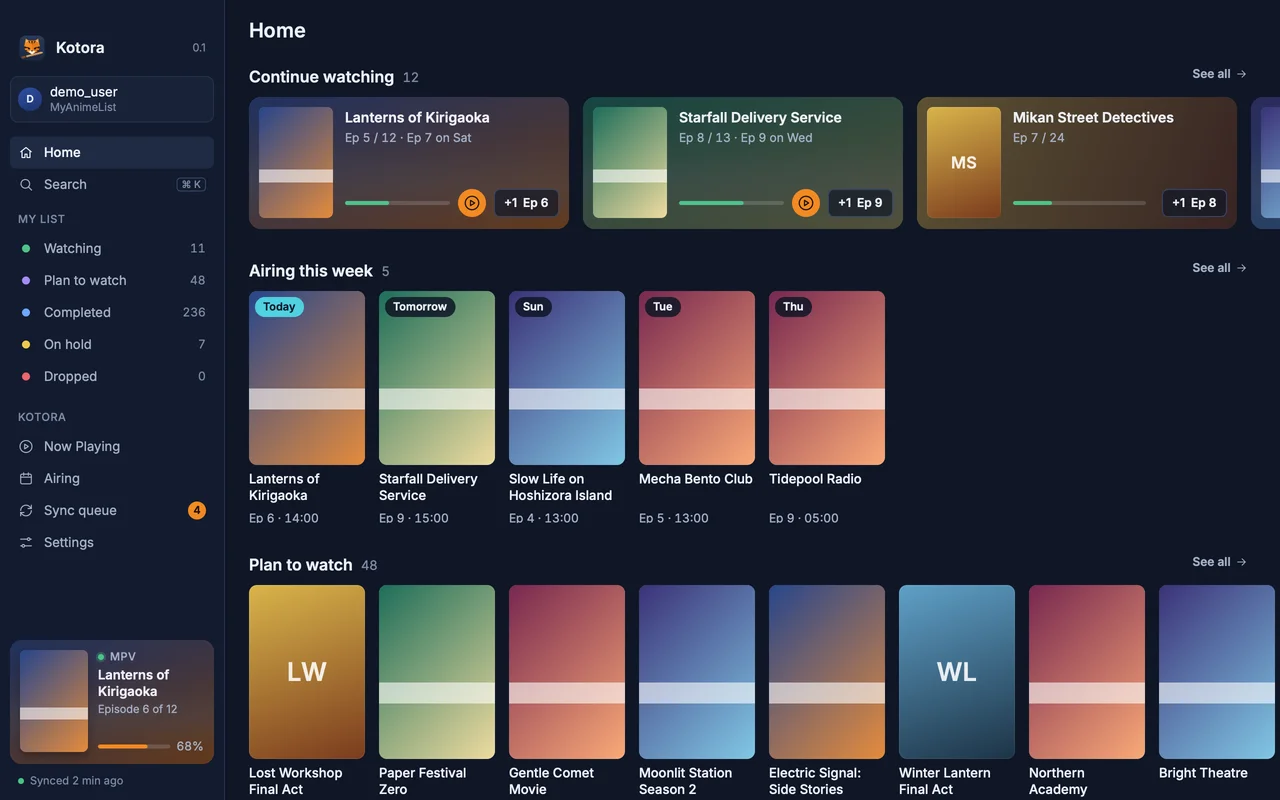
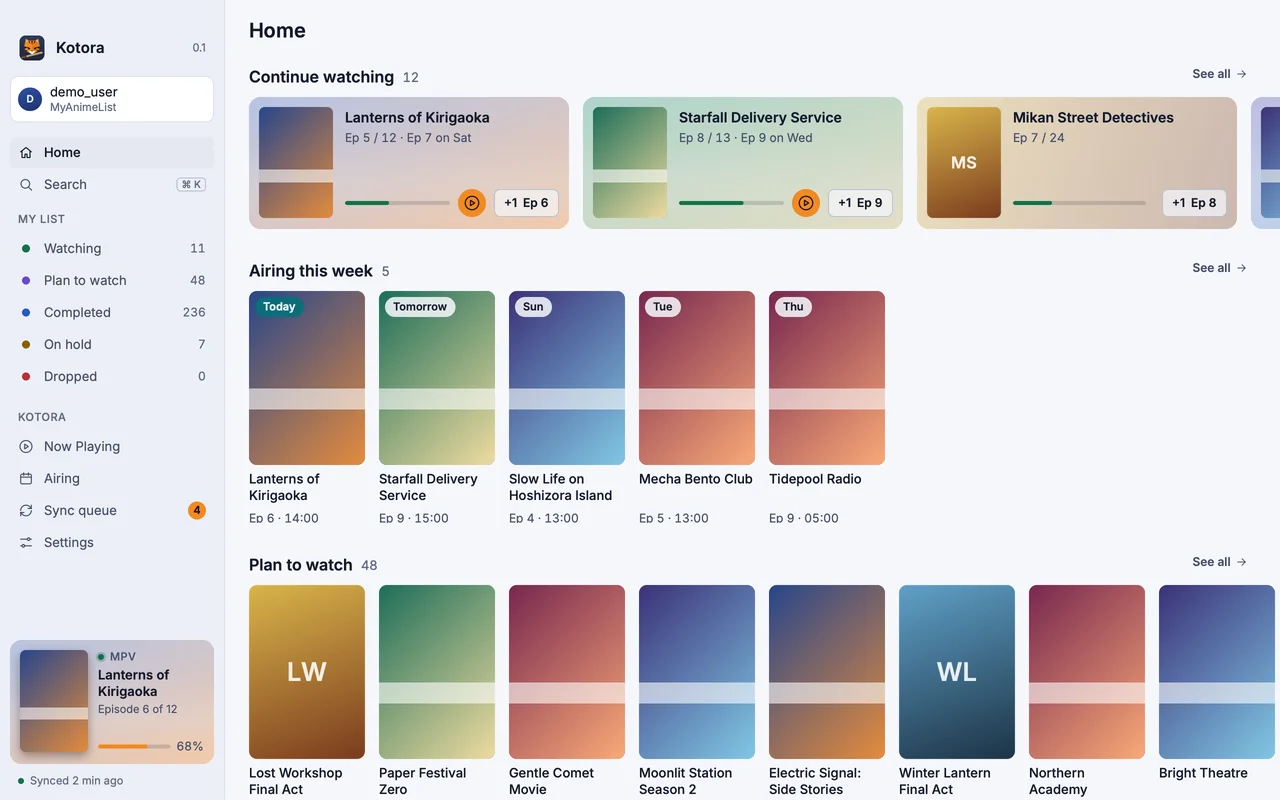
Kotora is a native anime tracker for Linux and macOS. It notices the episode playing in mpv, IINA, VLC, mpc-qt and other players with no setup, asks once, and updates your MyAnimeList list. It works offline with a visible sync queue, and has search, an Airing page, notifications and a command line. All of that is the part AniList support will plug into.
The plan for v0.3, which can still change:
Kotora will stay a client for your own AniList list, with AniList as the source of truth. It won’t keep a database of its own built from AniList data and will stay well under AniList’s rate limit. AniList’s API terms changed in 2026, so we will read them again before shipping.
There is no mailing list and no newsletter.
If you keep a MyAnimeList account too, Kotora works with it today. Otherwise, browser users can track streaming sites with MAL-Sync, which supports AniList; on Windows, Taiga supports AniList.
Arch Linux
kotora builds from the release source.
$ yay -S kotoraIt installs kotora, kot, the menu entry and the icons, and update with your system.
macOS
Apple silicon, macOS 13 or later. Open the DMG and drag Kotora to Applications.
Download the DMG$ brew install --cask hanami117/kotora/kotoraKotora is not notarized yet: at the first start, open System Settings → Privacy & Security and click Open Anyway.
Any Linux
Needs Rust, git, pkgconf and a Vulkan driver.
$ git clone https://github.com/hanami117/kotora
$ cd kotora && ./install.sh
Installs into ~/.local/bin with the menu entry. Run it again after git pull to update.
At the first start you sign in with MyAnimeList. MyAnimeList asks every app user for a free Client ID; Kotora’s Welcome page walks you through it in about a minute, with no file editing.
All downloads: the latest release on GitHub (source tarball and checksums too).
Not yet. Kotora 0.1 supports MyAnimeList only. AniList is planned for version 0.3.
There is no date. It is the main item for v0.3. Watch the GitHub repository for releases to hear when it is out.
No. Kotora will be a client for your own AniList list only, with AniList as the source of truth, and it keeps only a local cache and a queue of your changes on your computer.